Classroom Pulse
A downloadable tool for Windows
# Classroom Pulse
**Version 1.2 | The "No-Cloud" Focus Tracker**
A privacy-first desktop tool for teachers to track student focus breaks in real-time.
- **Zero Internet Required.** Your data never leaves your computer.
- **Zero Setup.** No accounts, no passwords, no login.
- **Instant Export.** One click to CSV for Excel or Google Sheets.
---
## 🚀 Getting Started
Classroom Pulse is a **Portable App**. No installation required.
1. Open the `Classroom Pulse` folder
2. Double-click **`ClassroomPulse.exe`**
*Tip: Right-click the .exe and choose "Send to > Desktop (create shortcut)" for faster access.*
---
## 📋 Setting Up Your Class
**Option A: Paste from Excel/Sheets**
1. Go to **My Classes** → **New Class**
2. Copy your student list from any spreadsheet (one name per row)
3. Press `Ctrl+V` — done!
**Option B: Manual Entry**
1. Go to **My Classes** → **New Class**
2. Tap each student button to rename
3. Tap **+ Add** for more students
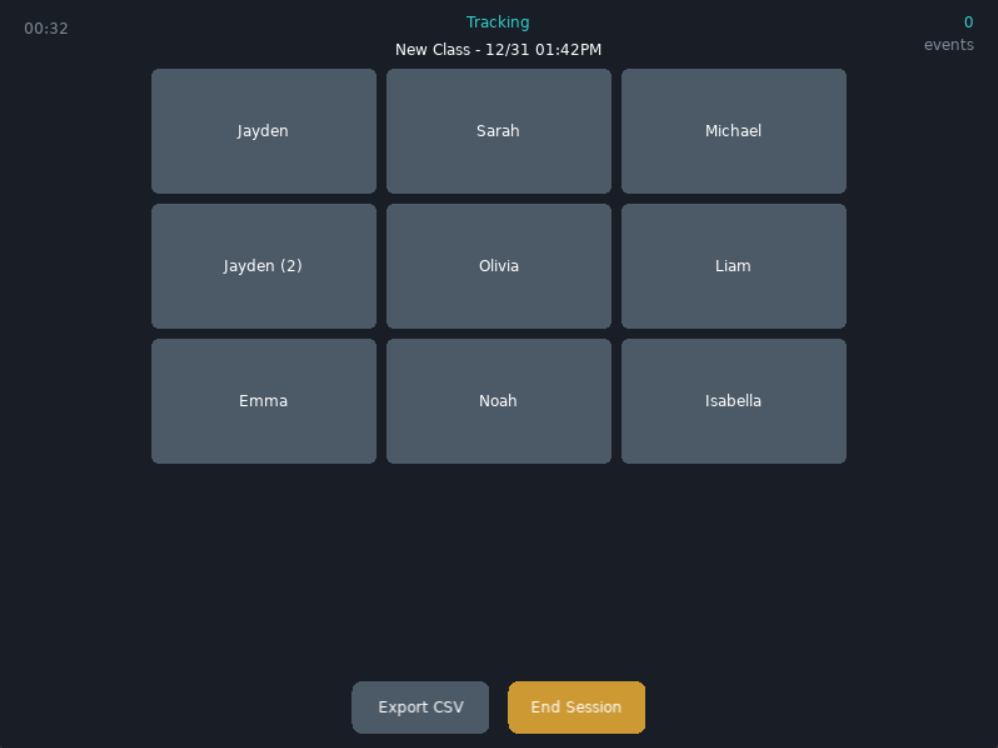
Duplicates are handled automatically (Jayden → Jayden, Jayden (2))
---
## 📊 Tracking a Session
1. From the main menu, tap **Start Session**
2. Select your class
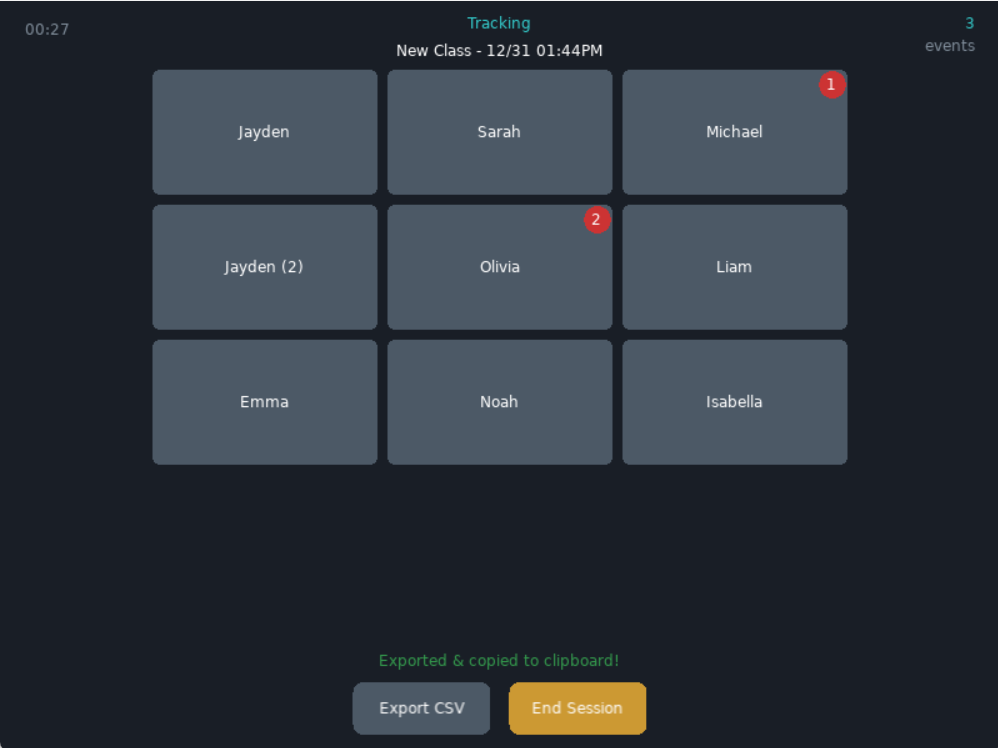
3. **Tap a student's name** each time you observe a focus break
4. The button flashes red. A badge shows their count.
5. Tap **End** when class is over — data saves automatically
**Made a mistake?** Tap **Undo** or press `Ctrl+Z`
---
## 📁 Reviewing & Exporting
**Past Sessions** shows all your saved data.
For any session you can:
- **View** the summary and full event log
- **Export** to CSV (also copies to clipboard — just `Ctrl+V` into Sheets)
- **Merge** two sessions together
- **Delete** sessions you no longer need
---
## ⌨️ Keyboard Shortcuts
| Shortcut | Action |
|----------|--------|
| `Ctrl+V` | Paste student list (in Class Edit) |
| `Ctrl+Z` | Undo last tap (while tracking) |
| `E` | Export current session |
| `Esc` | Go back / End session |
---
## 💾 Where's My Data?
All data stays local on your computer:
**Windows:** `%APPDATA%\LOVE\ClassroomPulse\`
Classes are saved as JSON. Sessions are saved as JSON. Exports are CSV files you can open in any spreadsheet app.
---
## Why Classroom Pulse?
Teachers need documentation. IEP meetings, parent conferences, behavior interventions — they all need data.
But existing tools are either:
- Cloud-based (privacy concerns, FERPA anxiety)
- Complicated (login walls, subscription fees)
- Slow (can't be used *while* teaching)
Classroom Pulse is **fast enough to use mid-lesson**. Tap, flash, done. Build your documentation without disrupting your teaching.
---
## What's Next
- Multiple event types (Focus Break, Called Out, Positive, etc.)
- Duration tracking mode for parapros and observers
- Simple charts and visualizations
Feedback welcome — use the comments below or reach out directly.
Download
Development log
- Version 1.2 - Undo, Paste Rosters, and MoreJan 01, 2026
Leave a comment
Log in with itch.io to leave a comment.